
Secret Video Recorder Pro- SVR - Google Play
You'll be able to see results in few seconds.
Publisher Description
Now 50% offer.
One touch high quality unlimited secret video recorder runs in background.
Full HD (High Definition)Background video recording using both front and back cameras. You can record with the maximum video quality available with your device.
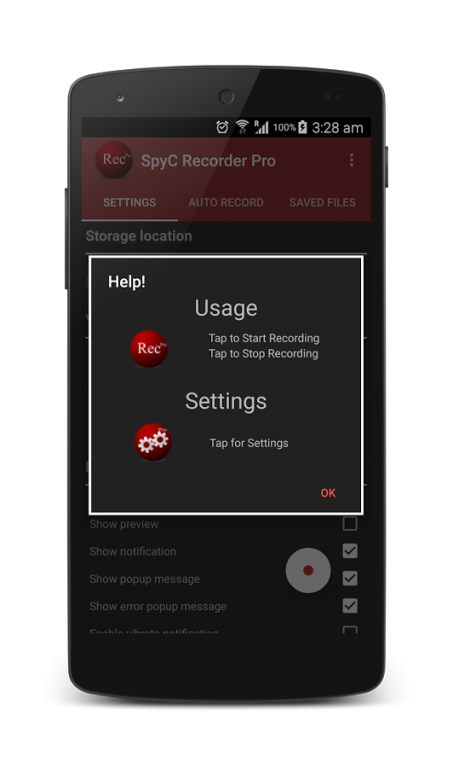
This application installs two launcher icons. Tap 'recorder' icon to record / Tap 'settings' to change recording settings. 'Recorder' icon can be customized to any of the listed icons like Notepad, Map, Microphone, Gallery, Photos, Settings, Mail etc.,
You can also schedule in 'Auto record' screen to start background video recording at a scheduled time.
Depends on device manufacturer it makes notification sound while starting to record. So please change shutter mute mode in 'SpyC Recorder settings' screen. If none of the mode works, then you can opt for 'Manual unmute' mode.
Recording background video orientation can be modified based on your needs.
Notifications, screen messages and vibration feedback can be turned on and off.
Preview size are customizable range from 10% - 50% of your device width and drag-able to keep anywhere in your device screen. Secret video recorder even works with device lock mode. And other non camera related applications also usable while recording. Even recording work during phone call. (Note: Preview can also be turned off)
Features listing:
# Automatic (scheduled) background video recording.
# One touch recording
# Tap to start/stop recording.
# Background / secret video recording.
# Silent recording.
# Change recording launcher icon.
# Customizable preview size up to 50% of screen width.
# Manage all recorder videos at one place.
# Cool user interface.
# Hide video from Gallery.
# Option to disable recording notification/screen message/error message.
# Can record during phone call.
# Can record without preview.
# Preview available during recording if required.
# Enable flash if required and available in device.
# Option to record Front camera if available in your device.
# Choose recording resolution.
# If you are not sure about resolution, then simply choose high / low resolution.
# Set recording Duration.
# Set recording Orientation.
# In the app video playback, No External folder view application required..
# Battery check available to avoid long video recording crash due to low battery.
# Space availability check to avoid space unavailability crash.
# Set password to ensure authorized application settings modifications.
# Better video record management.
# Update video recording notes in details page.
Note for existing users: After updating to version 3.0 you cannot view the previous video records through the app. However you can view those file using file manager apps. Please clear app data in Android settings if app crashes @ after upgrade. Else you can uninstall and reinstall it again for clean copy.
Avail a FREE copy of this PREMIUM application by providing translations support to us for this app. we are open for all play store recognized languages. Mail us with your details to get the list of words to translate. HURRY...
About Secret Video Recorder Pro- SVR
The company that develops Secret Video Recorder Pro- SVR is zustapps. The latest version released by its developer is 1.0.
To install Secret Video Recorder Pro- SVR on your Android device, just click the green Continue To App button above to start the installation process. The app is listed on our website since 2016-07-25 and was downloaded 0 times. We have already checked if the download link is safe, however for your own protection we recommend that you scan the downloaded app with your antivirus. Your antivirus may detect the Secret Video Recorder Pro- SVR as malware if the download link to in.defensivedroidapps.spyc.pro is broken.
How to install Secret Video Recorder Pro- SVR on your Android device:
- Click on the Continue To App button on our website. This will redirect you to Google Play.
- Once the Secret Video Recorder Pro- SVR is shown in the Google Play listing of your Android device, you can start its download and installation. Tap on the Install button located below the search bar and to the right of the app icon.
- A pop-up window with the permissions required by Secret Video Recorder Pro- SVR will be shown. Click on Accept to continue the process.
- Secret Video Recorder Pro- SVR will be downloaded onto your device, displaying a progress. Once the download completes, the installation will start and you'll get a notification after the installation is finished.
Program Details
System requirements
Download information
Pricing
Version History
version
posted on 2016-07-25
New look for cool user interaction.,New folder chooser for more convenience.,Adjust preview size up to 50% of screen size,Cool and safe new launcher icons. (Notepad,Maps, Photos,etc.,),Manage all saved videos in single screen.,Start video recording within application.,bug fixes.,Avail free version of this premium app by supporting translations. we are open to all languages. Hurry!
Disclaimer
Official Google Play Link
We do not host Secret Video Recorder Pro- SVR on our servers. We did not scan it for viruses, adware, spyware or other type of malware. This app is hosted by Google and passed their terms and conditions to be listed there. We recommend caution when installing it.
The Google Play link for Secret Video Recorder Pro- SVR is provided to you by apps112.com without any warranties, representations or guarantees of any kind, so access it at your own risk.
If you have questions regarding this particular app contact the publisher directly. For questions about the functionalities of apps112.com contact us.
